Running Minecraft Alpha on Windows 2000
As seen on the channel — yes, it actually works. This is the full breakdown of how to get Minecraft Alpha running on a Windows 2000 machine, covering folder structure, LWJGL libraries, the HTML applet launcher, and the Java security policy workaround. Everything you need is available in the download pack below.
📺 Note: This guide accompanies the video on the channel where I showed live
Minecraft Alpha gameplay on a real Windows 2000 PC. The video was all gameplay — this page
is the how-to behind it.
Requirements
OSWindows 2000 — BlackWingCat SP4 kernel recommended
JavaJava 6 — JRE + JDK (jdk-6u45-windows-i586)
MinecraftAlpha a1.0.1_01 JAR
Graphics libLWJGL 2.9.3
⚠️ Important: Modern Minecraft and modern Java will not run on Windows 2000.
You must use Java 6 and a Minecraft Alpha JAR. The standard
Minecraft launcher won't work either — this setup uses Java's built-in
appletviewer
tool pointed at a local HTML file.
🪟 About BlackWingCat SP4: My Windows 2000 install uses the
BlackWingCat extended kernel, a community-maintained update that backports
modern Windows API support to Windows 2000. This is what makes Java 6 and LWJGL viable on an
otherwise end-of-life OS. A completely stock Windows 2000 install may run into additional
compatibility issues beyond the scope of this guide.
Step-by-Step Setup
1
Install Java 6 (JRE + JDK)
- Run
jdk-6u45-windows-i586.exefrom the download pack (or from the DVD if you burned one). - Java 6 is the last version with meaningful Windows 2000 support — do not use a newer version.
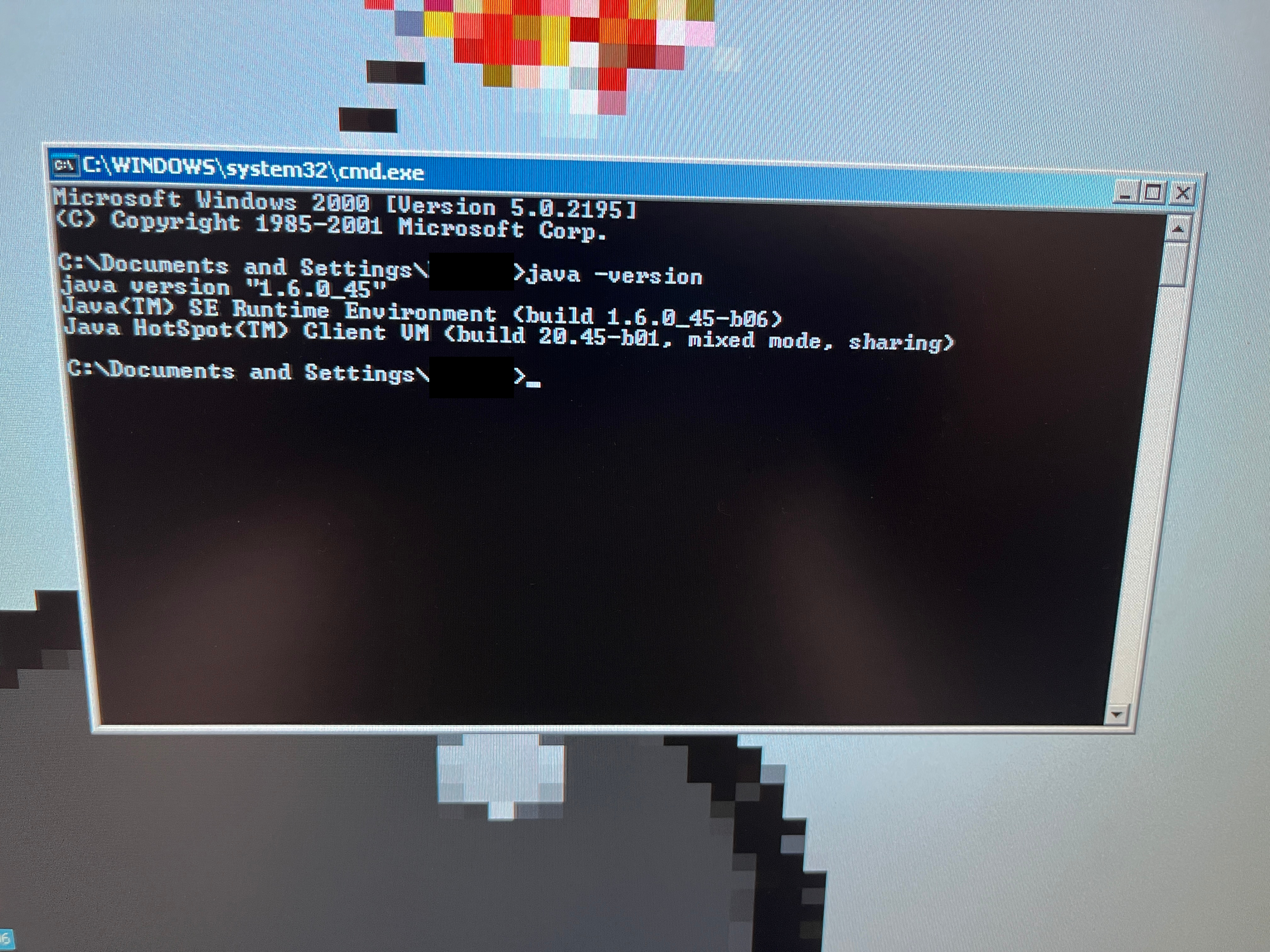
- After installation, verify it's working by opening a command prompt and running:
java -version- You should see output referencing
java version "1.6.x".
2
Set Up Your Folder Structure
- Create the folder
C:\Minecraft. - Extract the contents of
minecraft.zipinto it — everything should land in the right place. - Your folder should look like this when done:
C:\Minecraft\
├── minecraft.jar (Alpha a1.0.1_01)
├── minecraft.html (applet launcher)
├── java.policy (security policy)
├── libs\
│ ├── lwjgl.jar
│ ├── lwjgl_util.jar
│ └── jinput.jar
└── natives\
├── lwjgl.dll
├── OpenAL32.dll
├── jinput-dx8.dll.bak (renamed — disabled)
└── jinput-raw.dll.bak (renamed — disabled)
├── minecraft.jar (Alpha a1.0.1_01)
├── minecraft.html (applet launcher)
├── java.policy (security policy)
├── libs\
│ ├── lwjgl.jar
│ ├── lwjgl_util.jar
│ └── jinput.jar
└── natives\
├── lwjgl.dll
├── OpenAL32.dll
├── jinput-dx8.dll.bak (renamed — disabled)
└── jinput-raw.dll.bak (renamed — disabled)
3
Understand the JInput Fix
-
You'll notice the two JInput DLLs in
natives\have been renamed with a.bakextension — this is intentional. - JInput is LWJGL's input controller library and it crashes on Windows 2000.
- Renaming the DLLs stops Java from loading them. Minecraft Alpha doesn't need JInput for basic keyboard and mouse input, so nothing is lost.
💡 If you're building the pack manually: Copy
lwjgl.dll,
OpenAL32.dll, jinput-dx8.dll, and jinput-raw.dll from
LWJGL 2.9.3 into natives\, then rename the two JInput DLLs to add .bak.
4
Review the HTML Applet Launcher
-
Minecraft Alpha was originally distributed as a browser applet. We take advantage of this by
launching it with Java's
appletviewertool pointed at a local HTML file. - The
minecraft.htmlincluded in the pack contains:
<html>
<body>
  <applet code="net.minecraft.client.MinecraftApplet"
          archive="minecraft.jar,libs/lwjgl.jar,libs/lwjgl_util.jar,libs/jinput.jar"
          width="854" height="480">
    <param name="username" value="Player" />
    <param name="sessionid" value="0" />
  </applet>
</body>
</html>- You can change
value="Player"to any username you want to appear in-game. -
The
sessionidvalue of0provides an offline session —minecraft.netno longer handles Alpha authentication so this is required.
5
Review the Java Security Policy
-
Java applets run in a strict security sandbox that blocks native library access and filesystem
writes. The included
java.policyoverrides this. - It contains:
grant {
    permission java.security.AllPermission;
};- This grants Minecraft full permissions to load the native DLLs and write world save files to disk.
6
Launch the Game
- Open a command prompt and navigate to your Minecraft folder:
cd C:\Minecraft- Run the game using
appletviewer, pointing it to your natives folder and policy file:
appletviewer -J-Djava.library.path=natives -J-Djava.security.policy=java.policy minecraft.html- The Minecraft Alpha window will open and load the main menu.
- Click Singleplayer — world generation works and the game is fully playable.
What the Fixes Are Doing
- JInput DLLs renamed: Prevents a crash caused by JInput's incompatibility with Windows 2000's input APIs.
- Applet sandbox bypassed: The
java.policyfile lets Minecraft load native DLLs and write save data to disk. - Offline session provided: The
sessionid=0param gives the game a fake session so it doesn't try to reachminecraft.net. - Missing minecraft.net handled: Without the offline session param, Alpha would hang trying to authenticate against a server that no longer exists.
Troubleshooting
- appletviewer not found: Make sure Java 6's
binfolder is in your systemPATHenvironment variable. - UnsatisfiedLinkError / DLL errors: Confirm all DLLs are in the
nativesfolder and the path in the launch command matches exactly. - SecurityException: Make sure
java.policyis inC:\Minecraft\and the-J-Djava.security.policyflag is in your command. - JInput crash on startup: Double-check both JInput DLLs have been renamed and can't be loaded.
- Black screen / no window: Try reducing the
widthandheightvalues inminecraft.html. - Low FPS: Set render distance to Tiny and turn off all fancy graphics options inside the game.
Summary
OSWindows 2000 + BlackWingCat SP4
JavaJava 6 — jdk-6u45-i586
MinecraftAlpha a1.0.1_01 JAR
Graphics libLWJGL 2.9.3
Launcherappletviewer + HTML file
Key fixesDisable JInput + java.policy
🎮 That's it! Minecraft Alpha running on Windows 2000 — world generation works,
it's fully playable, and it's as wild as it sounds. Check out more tutorials on the
Bobby's IT Hub Guides page.